Units
Units is a feature in the JOVA POS application that allows users to group products by appropriate measurement units. This feature makes stock management and monitoring of product quantities across different categories easier.
Purpose of Using Units
Units are used to:
- Product Grouping: Makes it easier to group products by relevant units such as dozen, pcs, meter, etc.
- Unit Conversion Management: Allows users to convert product units to different units.
- Stock Management: Helps monitor product stock based on the specified unit.
Units Page View
1. Units Page Display
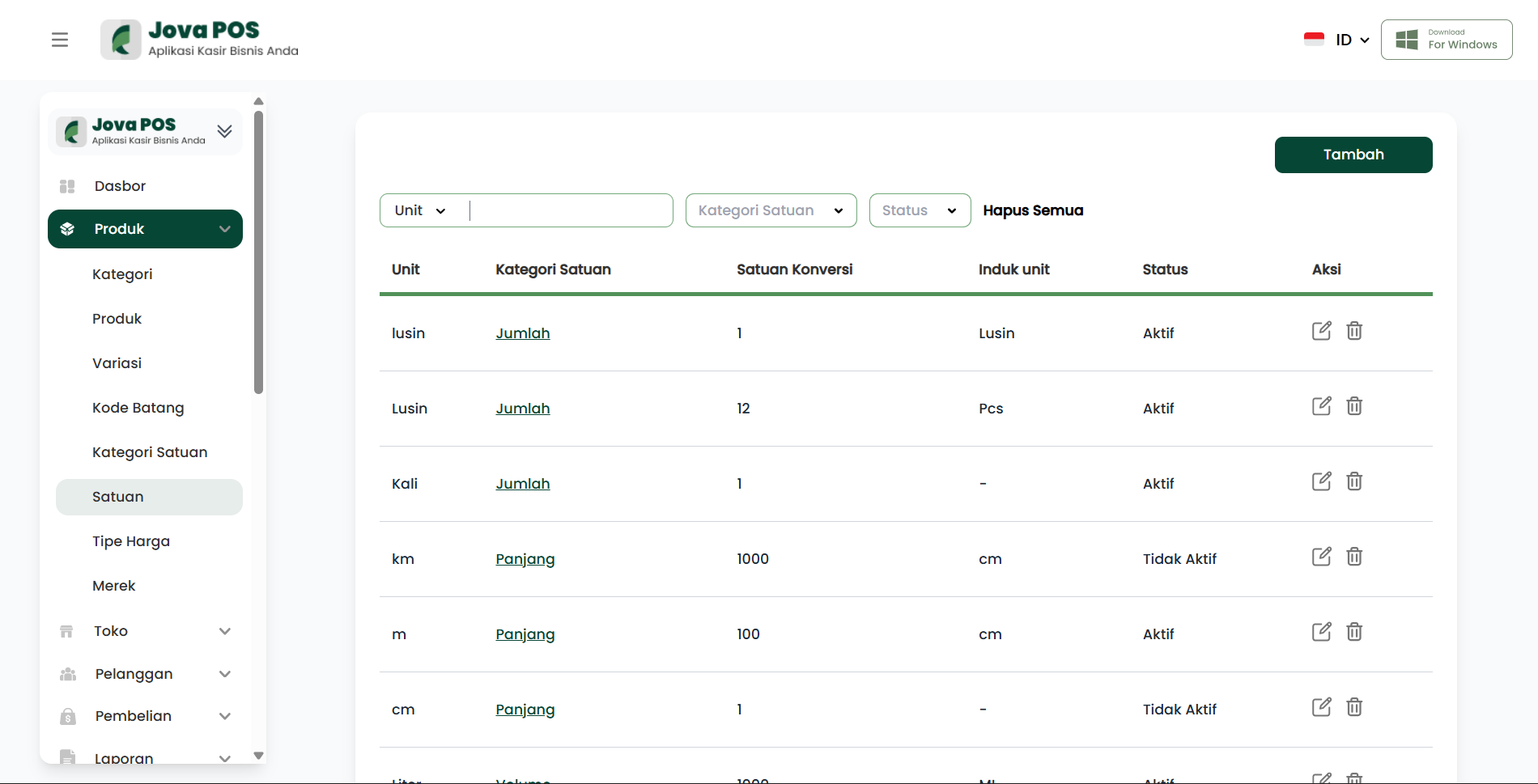
After selecting the Products menu, users will be directed to the Units page. This page displays the list of registered product units, complete with unit category, unit conversion, and status.
Units page view:
2. Click "Add Unit"
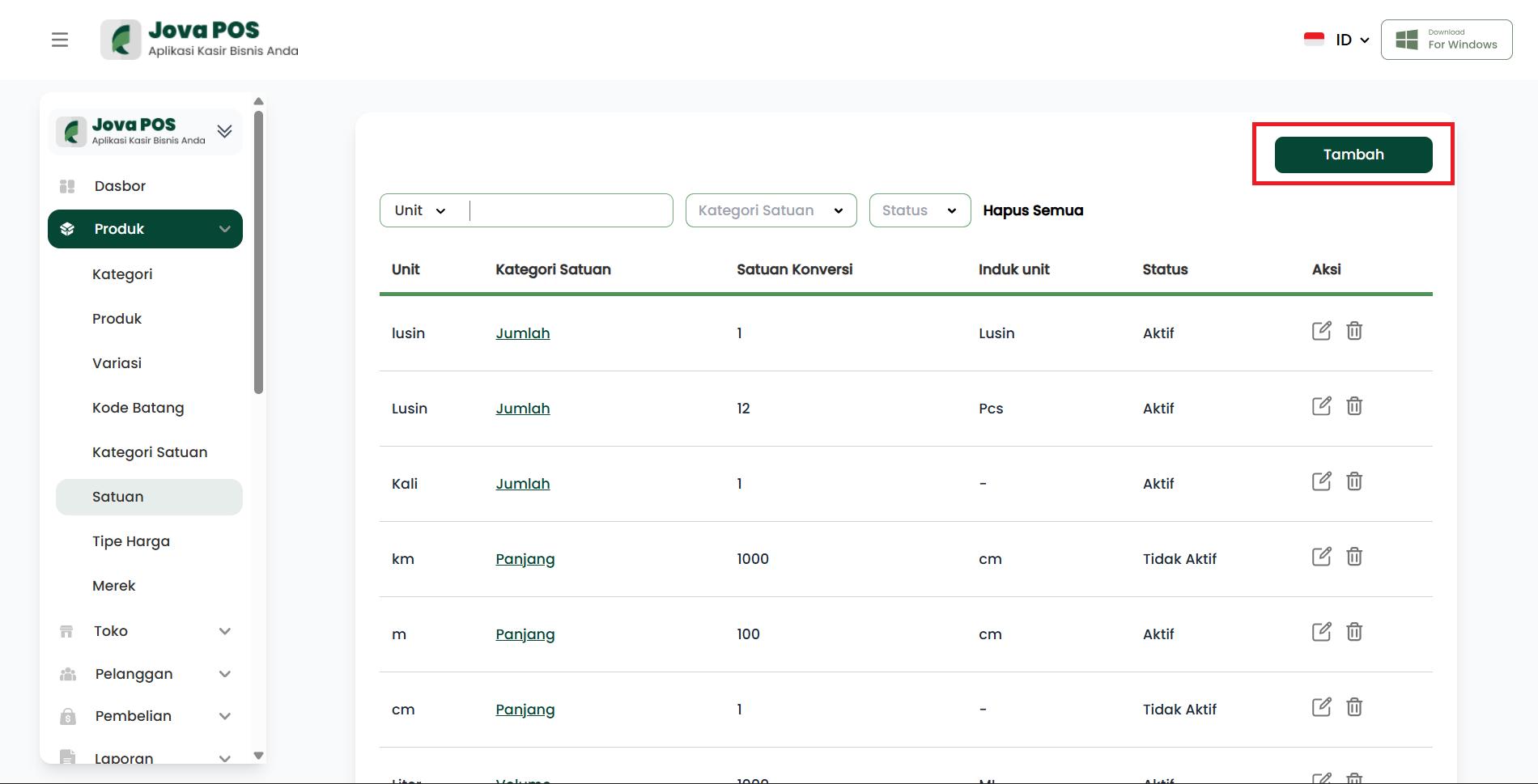
On the Units page, the first step is to add a new unit for your products. Click the Add button located at the top right of the page.
3. Fill in Unit Information
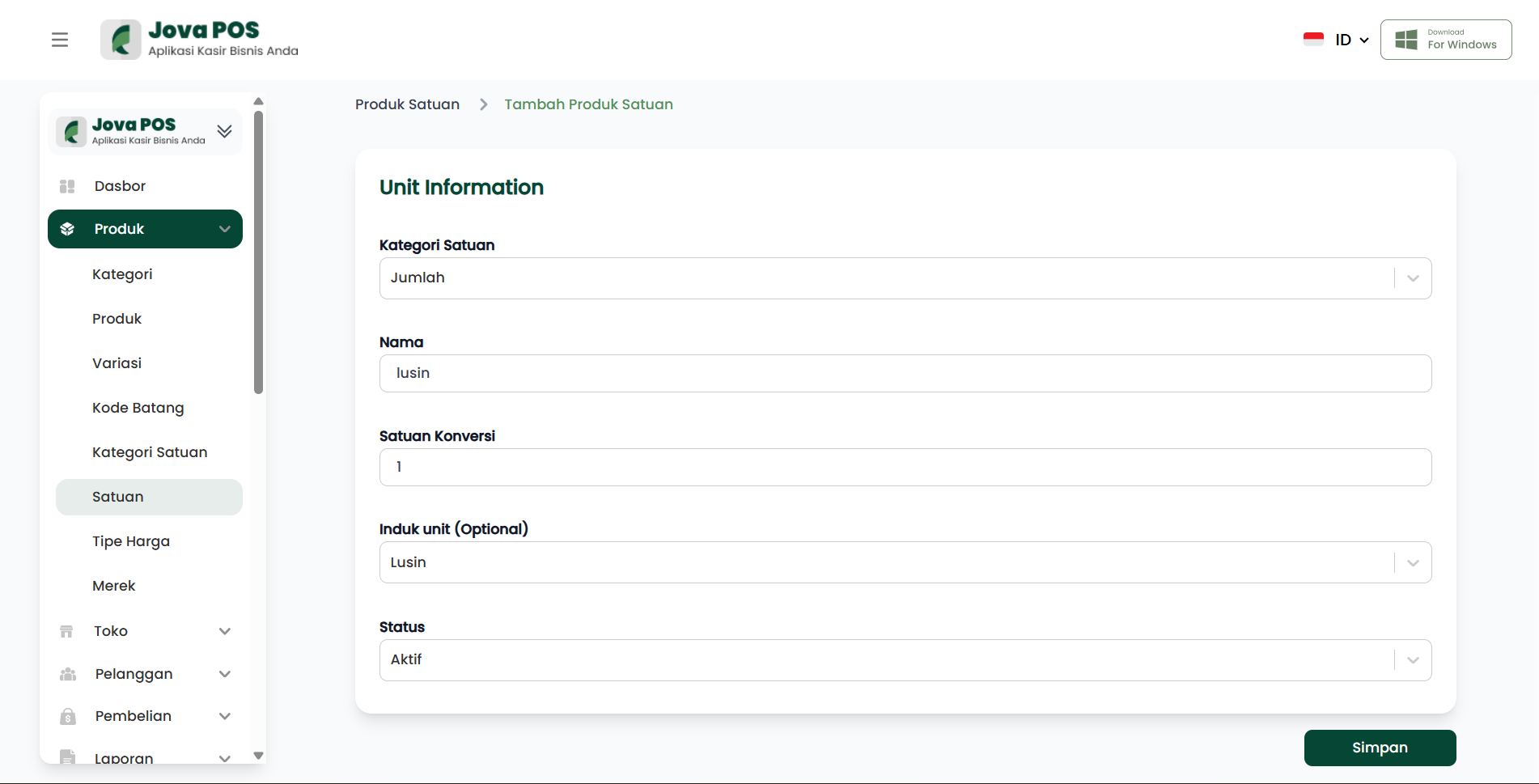
After clicking Add, you will be directed to fill in the product unit information. Fill in the following columns:
- Unit Category: Select the appropriate product unit category (e.g.: Quantity, Length, Weight, etc.).
- Name: The name of the unit to be used (e.g.: Dozen, Pcs).
- Conversion Unit: Specify the unit conversion if needed (e.g.: 1 dozen = 12 pcs).
- Parent Unit: Select the parent unit for the unit being used, if any.
- Status: Determine the unit status (Active or Inactive).
Form view for adding a unit:
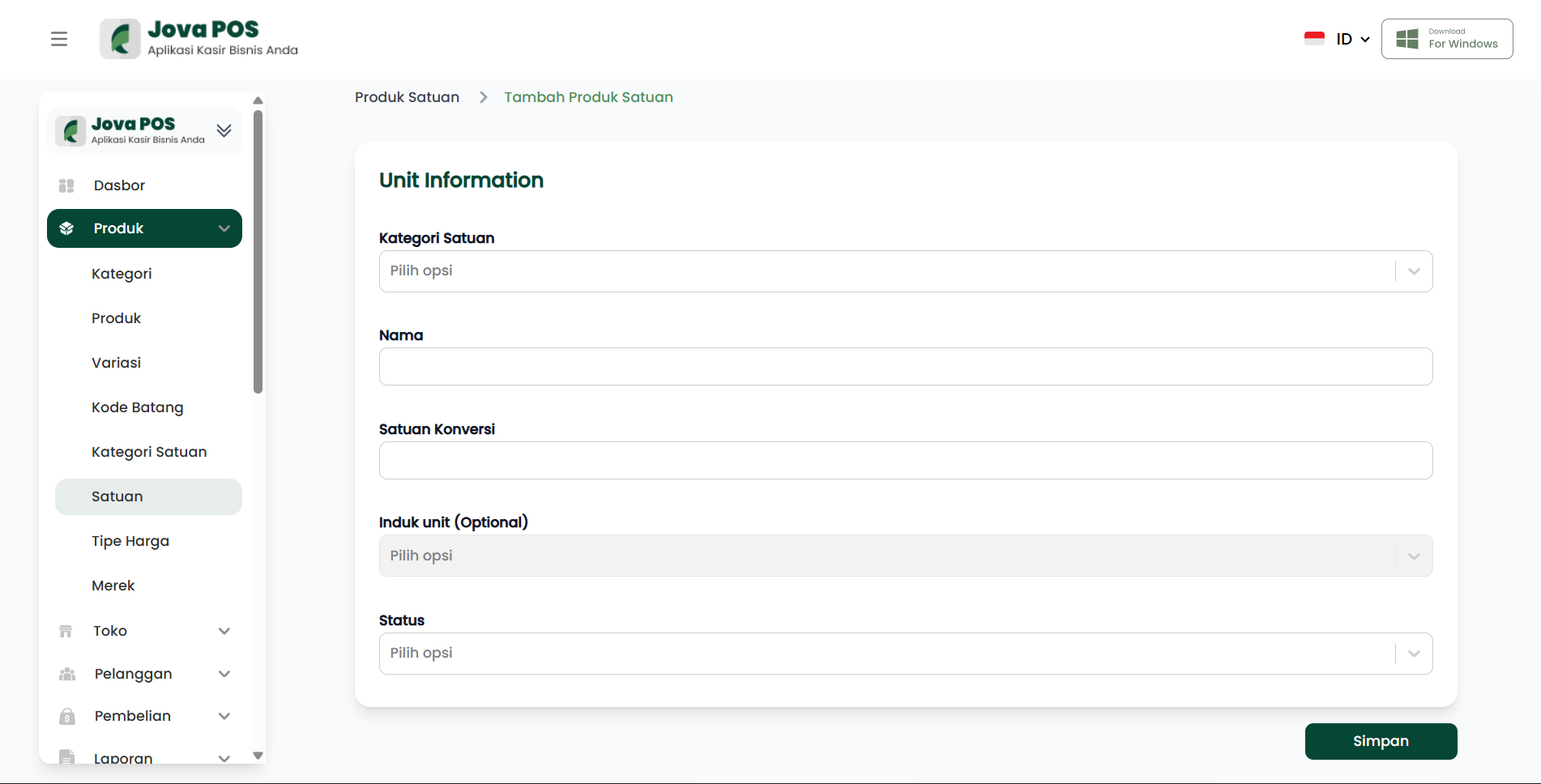
Then Click Save After filling in all unit information, click the Save button to add the unit to the system.
4. Edit and Delete Unit
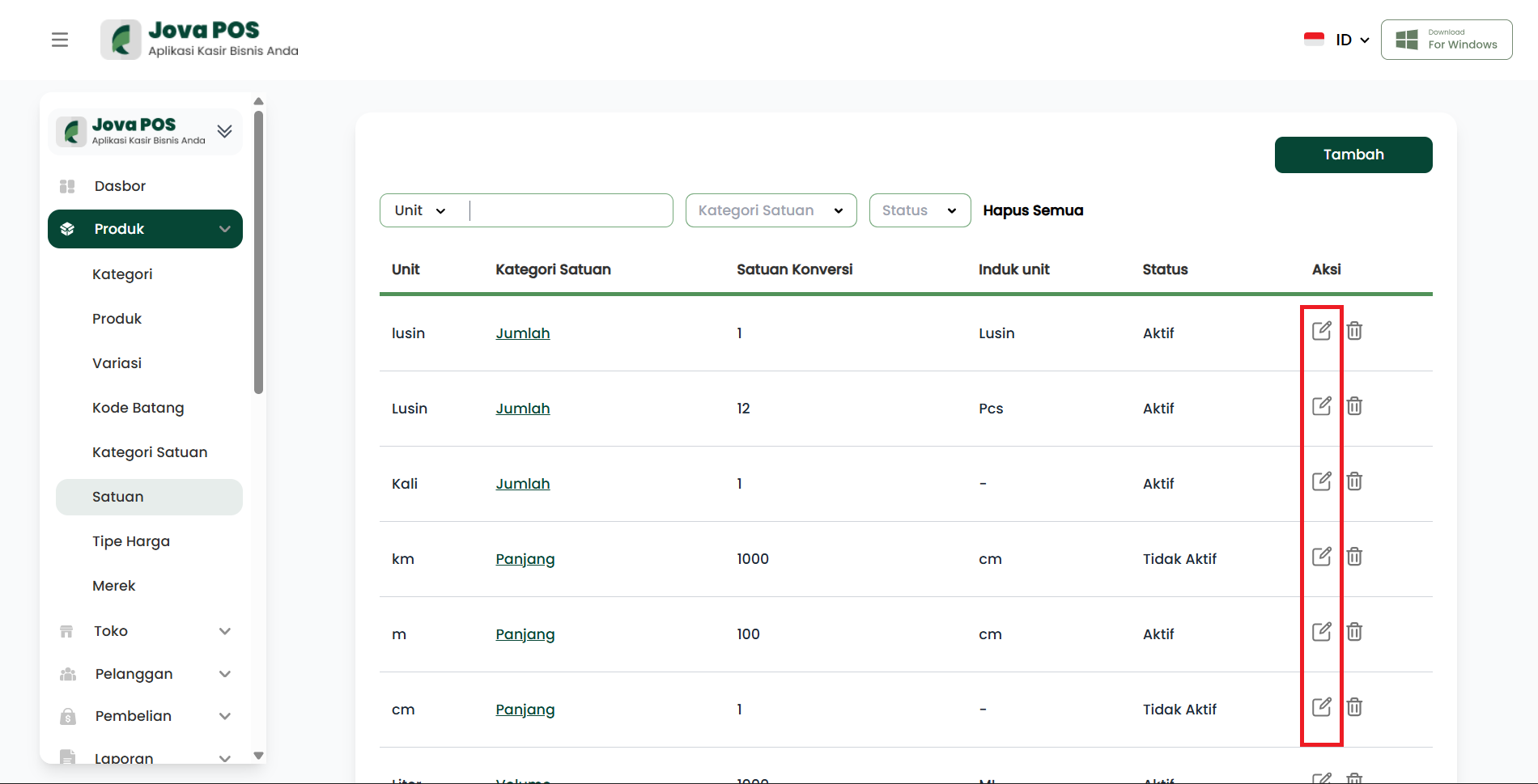
On the Units page, you can edit or delete existing units. Simply click the edit icon (pencil) to change unit information, or the delete icon (trash) to remove an unnecessary unit.
View for editing and deleting units:
Benefits of Using Units
- Ease of Stock Management: Makes it easier to monitor and manage product stock grouped by specific units.
- Efficient Unit Conversion: Provides convenience for quickly converting product units as needed.
- Structured Grouping: Ensures products are grouped correctly by relevant units, such as Pcs, Dozen, Meter, etc.
Conclusion
The Units feature in JOVA POS is very important for product and stock management. By grouping products by the right units, users can be more efficient in monitoring inventory and performing product unit conversions as needed. Make sure to add, edit, and delete units carefully so that the product management process runs smoothly.
Troubleshooting
- Unit Error: Make sure the selected unit matches the product category and the conversion is correct.
- Incorrect Status: If the unit does not appear when selecting a product, make sure the unit status is set to Active.